Playbooks: Methodology Your Whole Team Can Run
Every firm has a methodology. Few can prove they followed it.
It usually lives in a wiki page, a spreadsheet, or the head of your most senior tester. On the engagement itself, coverage is whatever each person remembers to check. When a client asks “did you test for X?”, the honest answer is often “let me find out.”
Playbooks turn your methodology into something the team actually runs. You build it once in the Library, run it against an engagement, and every step is tracked: who tested it, what they found, and why anything was skipped.
Build It Once, in the Library
A playbook is a structured methodology: auto-numbered sections, steps and sub-steps, each with rich guidance written collaboratively by your team. Tag steps and sections with framework references, including external IDs such as ATT&CK technique numbers and links to the source material.
Steps can carry runnable commands linked from your Command Library, so the guidance and the exact syntax sit side by side.
Playbooks are classified by type (framework, emulation or custom) and go through the same QA process as your findings. An approved playbook is locked, so the methodology your testers run is the one your leads signed off.
To give you a head start, we’ve written a set of starter playbooks you can import into your library:
- PTES and NIST SP 800-115
- OWASP API Security Top 10 and OWASP MASTG
- ATT&CK-aligned cloud penetration testing
- Adversary emulation plans for FIN6, APT29, OilRig, Sandworm and Wizard Spider
You can also import your own playbooks from JSON or YAML, one file or many at a time.
Run It as a Ledger
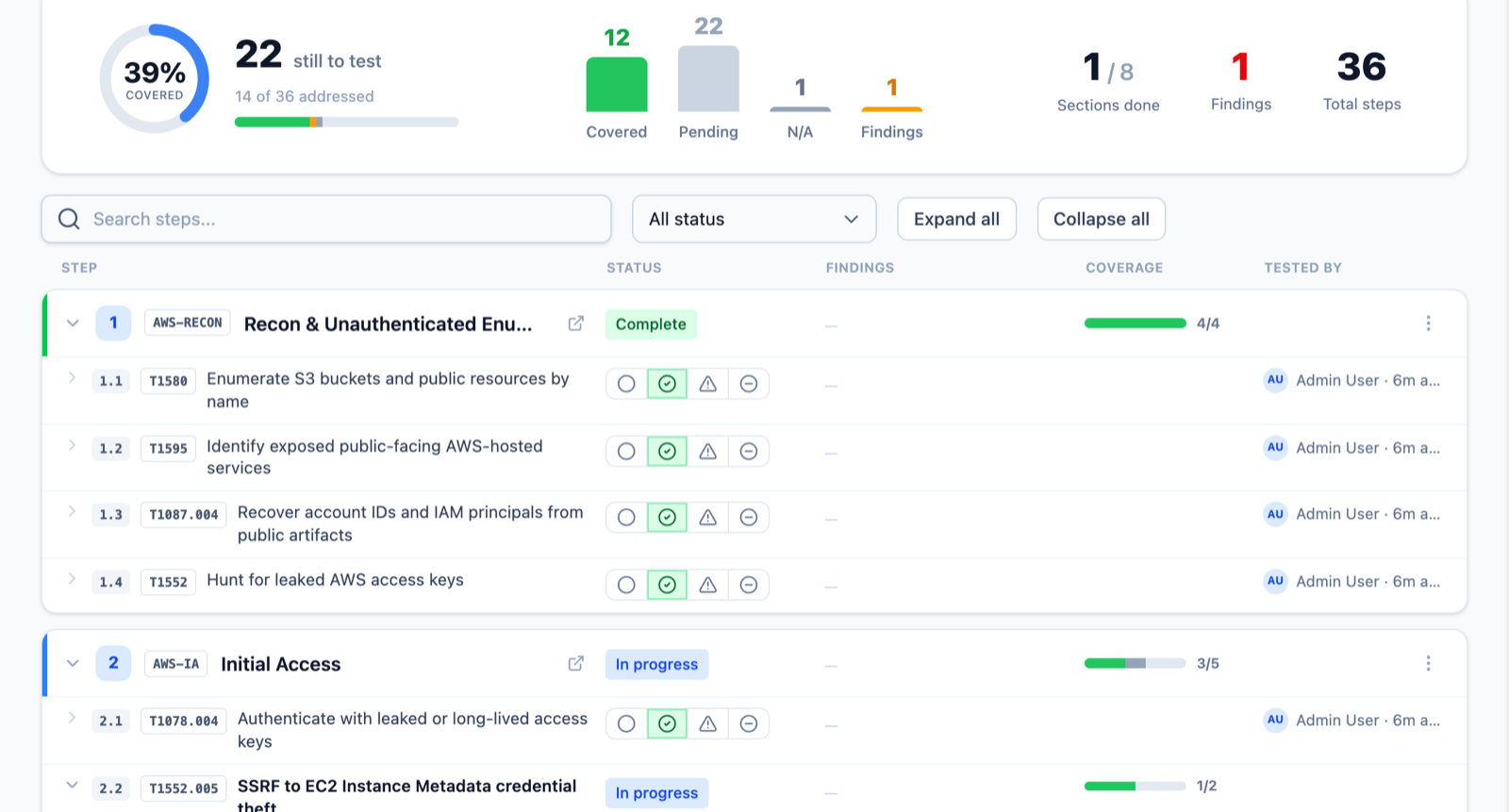
Start a run from the engagement, give it a label, and optionally point it at a specific target: a web application, a subnet or a directory dataset. The run copies the approved methodology into the engagement, where it becomes a live ledger of steps.
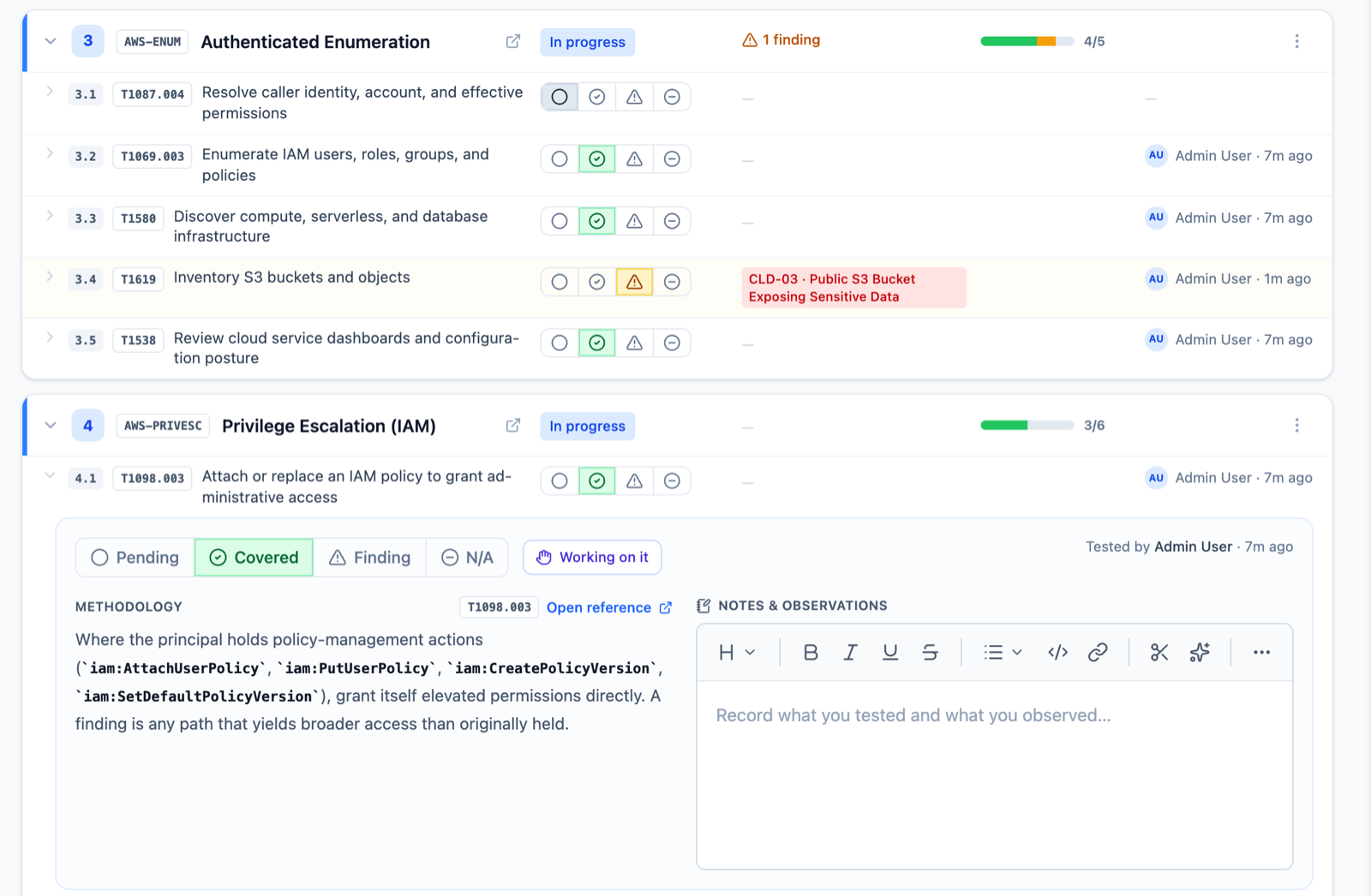
Each step is marked Pending, Covered, Finding or N/A. Open a step and you get a work panel with the methodology, a link to the reference, the linked commands (click to copy) and a notes editor for what you tested and observed. Mark a step as Finding and you can raise a new finding or link an existing one. The step and the finding stay connected in both directions.
See Who’s Working on What
On a team engagement, two testers working the same step is wasted time. Click Working on it and everyone else sees that the step is claimed, live. The claim releases itself when the step is resolved or raises a finding, so nobody has to remember to let go.
Skipped Steps Need a Reason
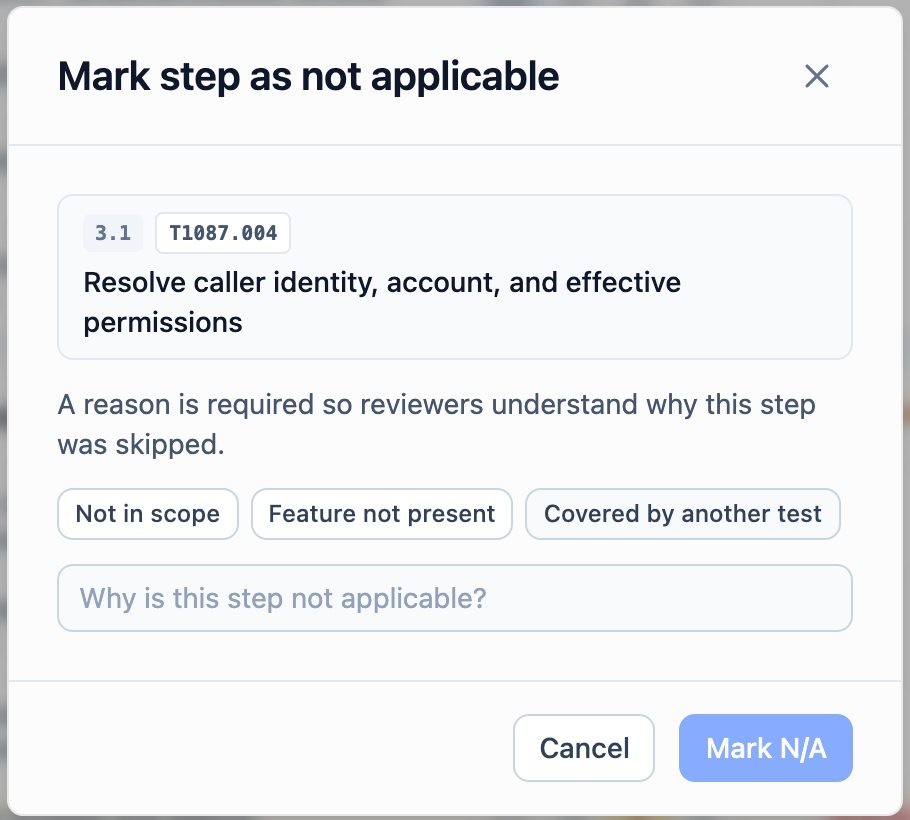
Not every step applies to every engagement. That’s fine, as long as you can say why.
Marking a step or a whole section N/A requires a reason, chosen from presets such as “Not in scope” or written out in full. Excused steps count as addressed in the run’s coverage, and the reason stays on record for reviewers and for anyone reading the engagement later.
Coverage You Can Report
Every run shows its progress at a glance: a coverage ring, counts for covered, pending, N/A and findings, and per-section progress bars. The engagement overview carries a playbook coverage card, and playbook coverage is available to your report templates.
So the next time a client asks what you tested, the answer is already in the report.
What This Means for Your Team
Your methodology stops being tribal knowledge. New testers follow the same steps as your most experienced ones. Leads can see real coverage while the engagement is still running, not after. And when you tell a client you followed PTES or the OWASP API Top 10, you can show them exactly how.
If you’d like to see Playbooks in action, visit https://neuron.ws/demo (opens in a new tab)
Thanks for reading,
The PenTest.WS Development Team

See Neuron on your terms.
Tell us about your team and environment. We will show you Neuron running the way you would run it: on your infrastructure, under your control.