Community Repo & Multi-Step Commands: Version 2.2
PenTest.WS v2.2 includes a new collaboration tool called Community Repo where you’ll find command templates for everything from PowerShell and Bash commands to BloodHound custom queries. Also, your General Command Library gets a new super power with the Multi-Step Commands feature.
Community Repo: Commands
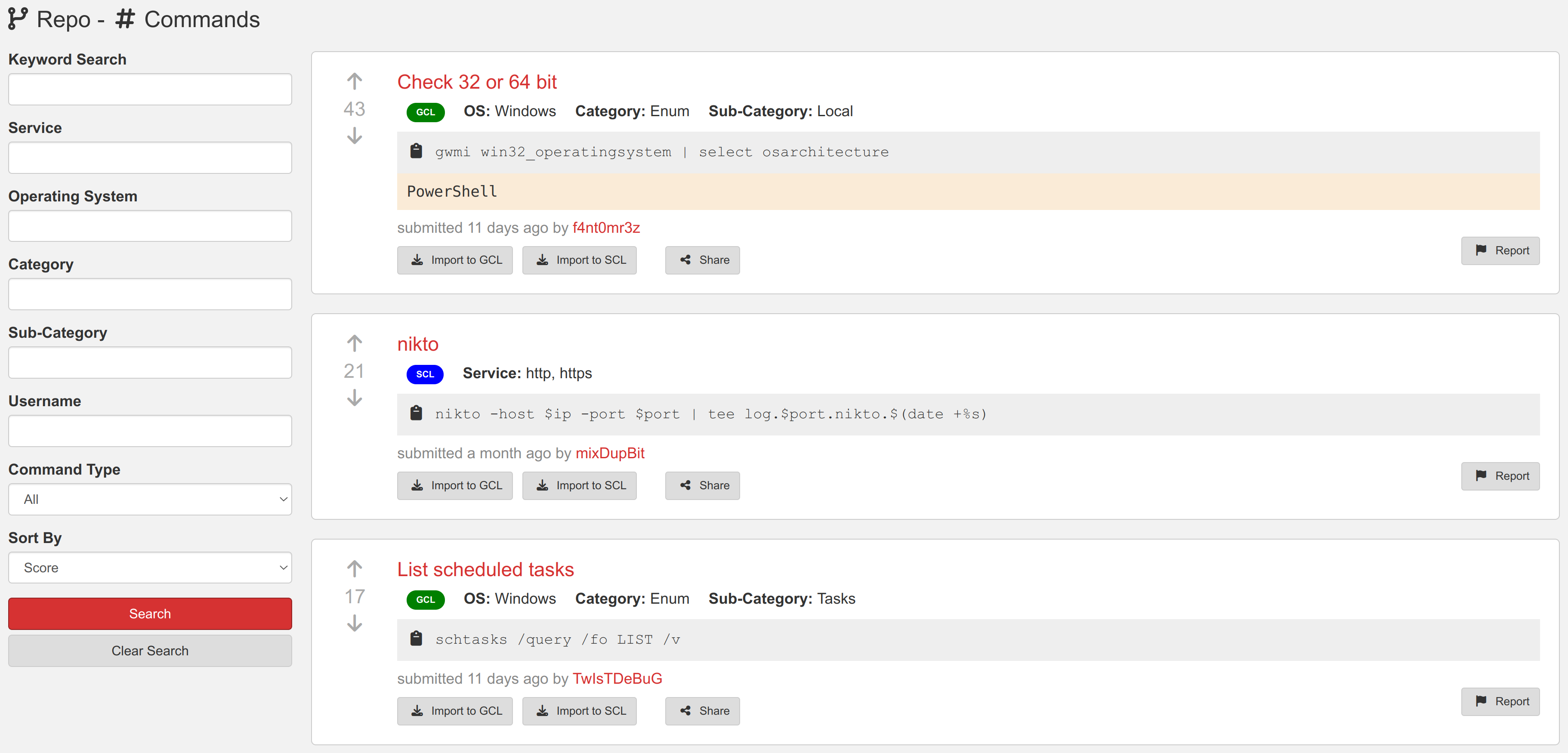
Search by keyword, operating system, category, or service and you’re one click away from importing community repo commands into your General Command Library (GCL) or your Service Command Library (SCL). Be sure to up vote the commands you find helpful, clever, or inspiring.
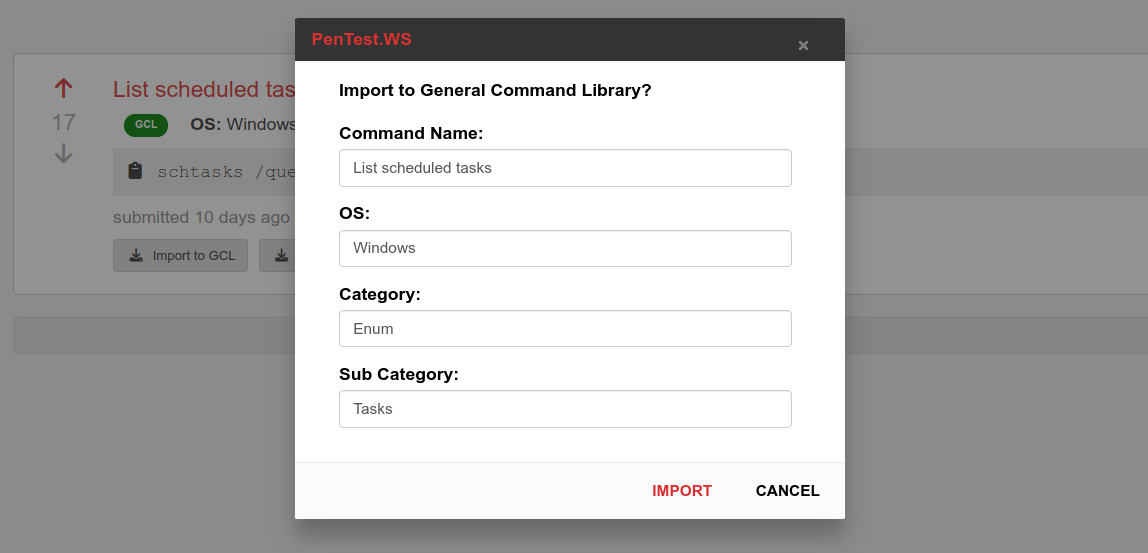
Clicking either the “Import to GCL” or “Import to SCL” buttons brings up a window where you can make any necessary changes to the command’s metadata before its pulled into your account. For GCL, this lets you update the category and sub category to match your own category names.
Show Off Your Awesome Commands
Contribute to the Community Repo from either your GCL or SCL using the highlighted icons below:

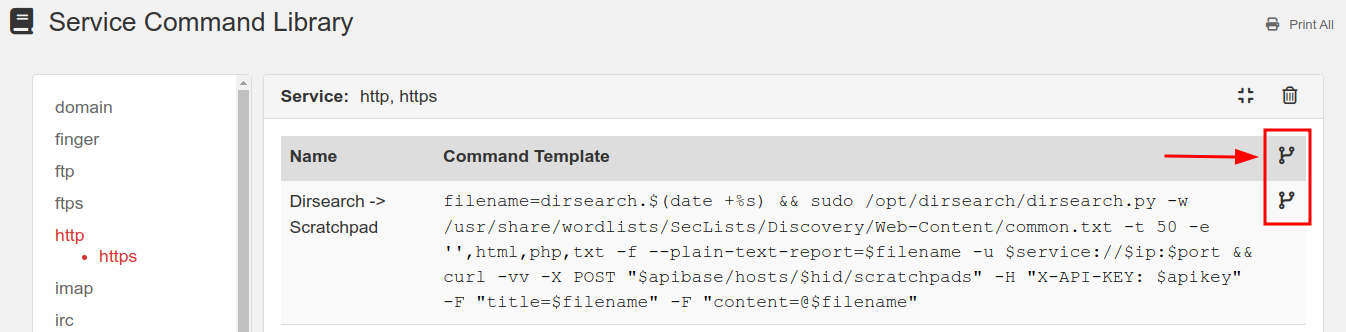
Submit individual commands one at a time, or as a group of commands all in one batch. Once submitted, you can no longer make modifications to the command in the repo. However, you can still make changes to your own GCL or SCL version of the commands.
Need to remove a command from the repo? Find your command in the repo and click the Delete button (only available on commands you’ve submitted).
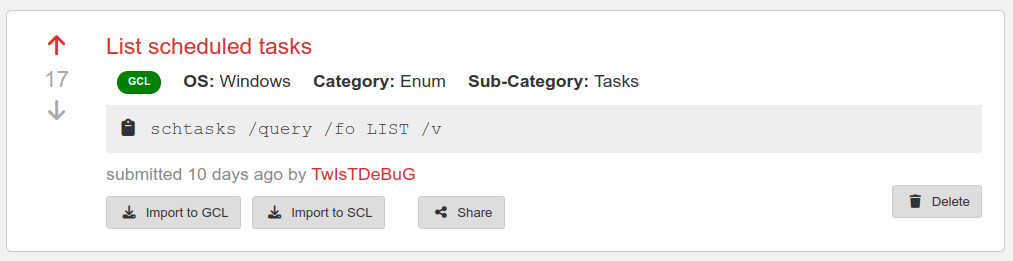
Sharing a direct link to a repo command is easy with the Share button. This generates a link you can send to your teammates:
https://app.pentest.ws/repo/commands/ecbbb6aa-297e-4dcd-857f-d97bfe910d27 (opens in a new tab)
The Community Repo requires a Hobby Tier or Pro Tier membership.
Multi-Step Commands
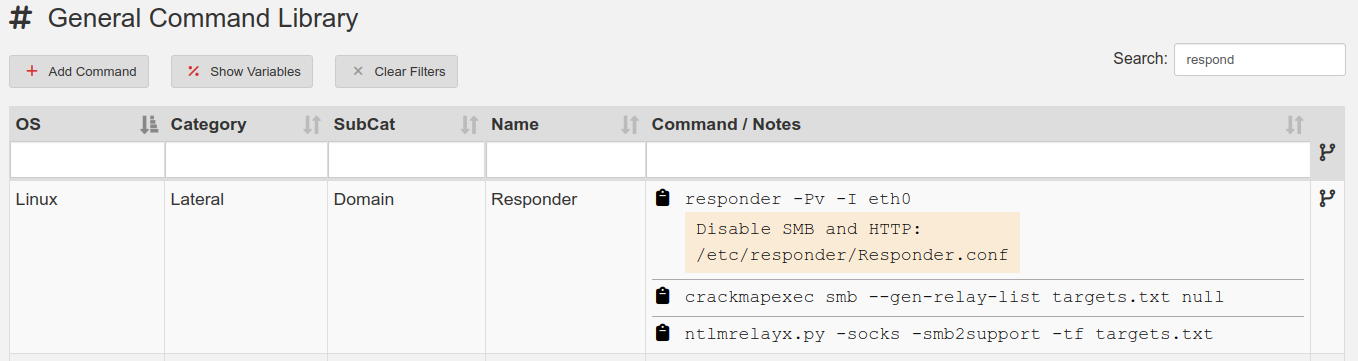
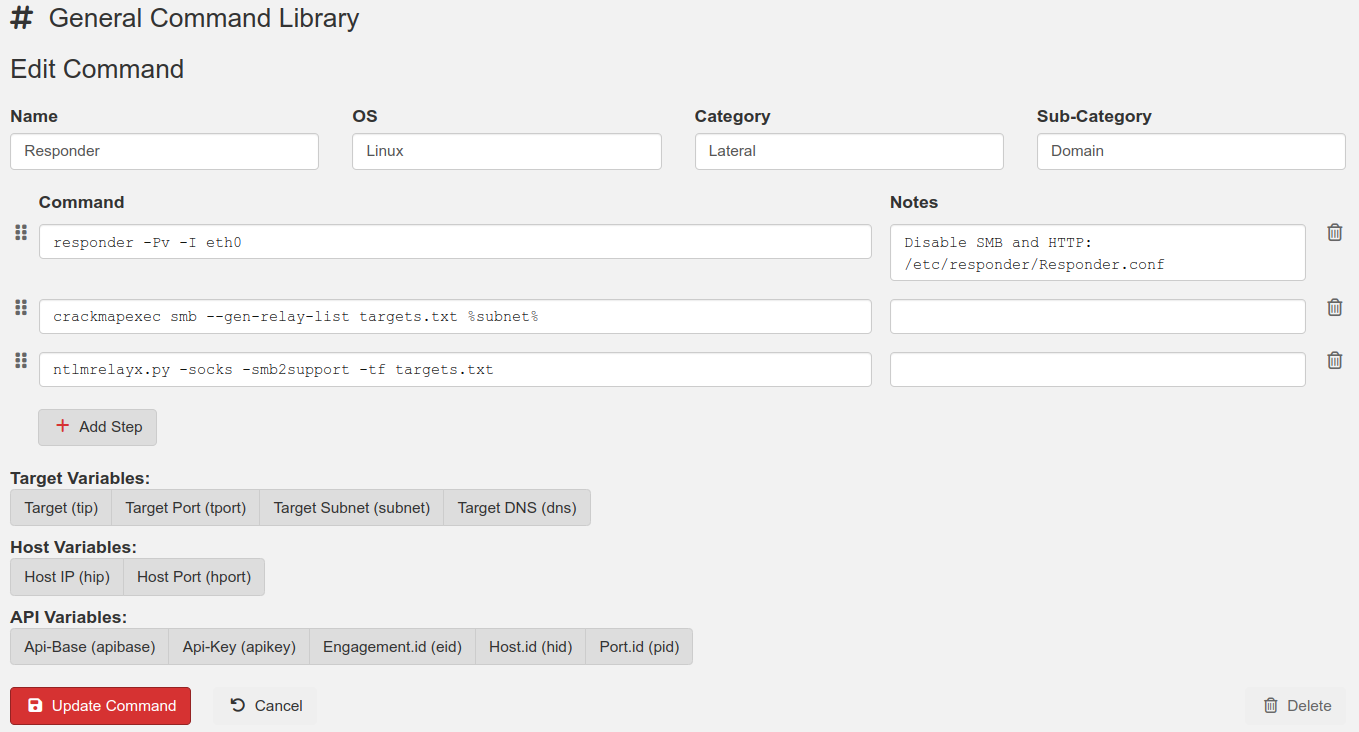
Your General Command Library (GCL) just got a lot more useful with Multi-Step Commands. A single GCL entry can now contain several steps to complete a task. Each step includes its own copy-paste shortcut as well as notes about that specific step.
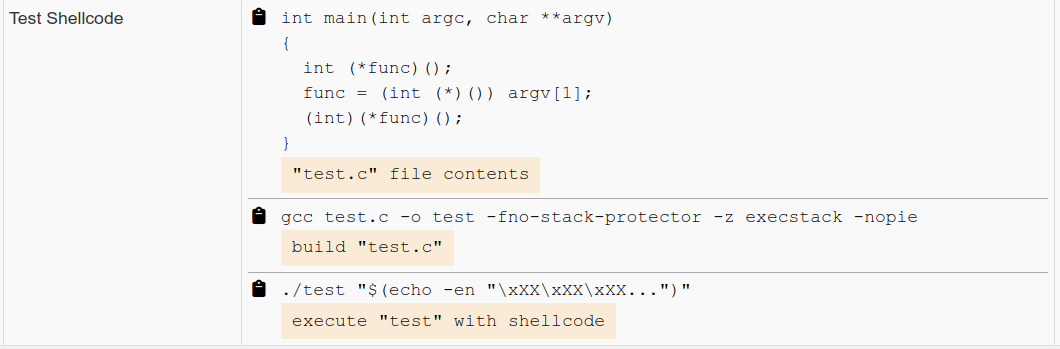
Another useful trick is to group information and commands related to each other into a single GCL entry. For example, Step #1 of the following multi-step command contains C source code for a shellcode testing program. Step #2 builds the executable and Step #3 executes the test program.
More good news, the Community Repo supports importing and exporting of Multi-Step Commands!
Multi-Step Commands are now available to all tier members.
More Version 2.2 Upgrades
- Matrix – Copy Targets
Quickly generate a “WebServers.txt” targets file using the Matrix. Filter down your list of hosts, for example those with port 80/443 open, and click the “Copy Targets” button in the toolbar. Paste this content into a file to be used with tools such as Nmap or GoWitness. - API Upgrades:
- Findings Library now included
- Boards now included
- Field lengths are now validated
- Adjustable Sidebar
The sidebar’s width is now adjustable
Thanks for reading!
PenTest.WS Development Team

See Neuron on your terms.
Tell us about your team and environment. We will show you Neuron running the way you would run it: on your infrastructure, under your control.